ASP.NET Core Identity adapter
This is the default backend and the one most consumers use. It implements
every VisuAuth contract against UserManager, SignInManager, and
RoleManager, querying the standard AspNet* tables through EF Core. VisuAuth
owns no tables of its own for the core surfaces — your users stay in
AspNetUsers, roles in AspNetRoles, claims in AspNetUserClaims.
The admin UI
This adapter lights up the full admin surface — user list and search, create and edit, the operator actions, roles, and tenants:
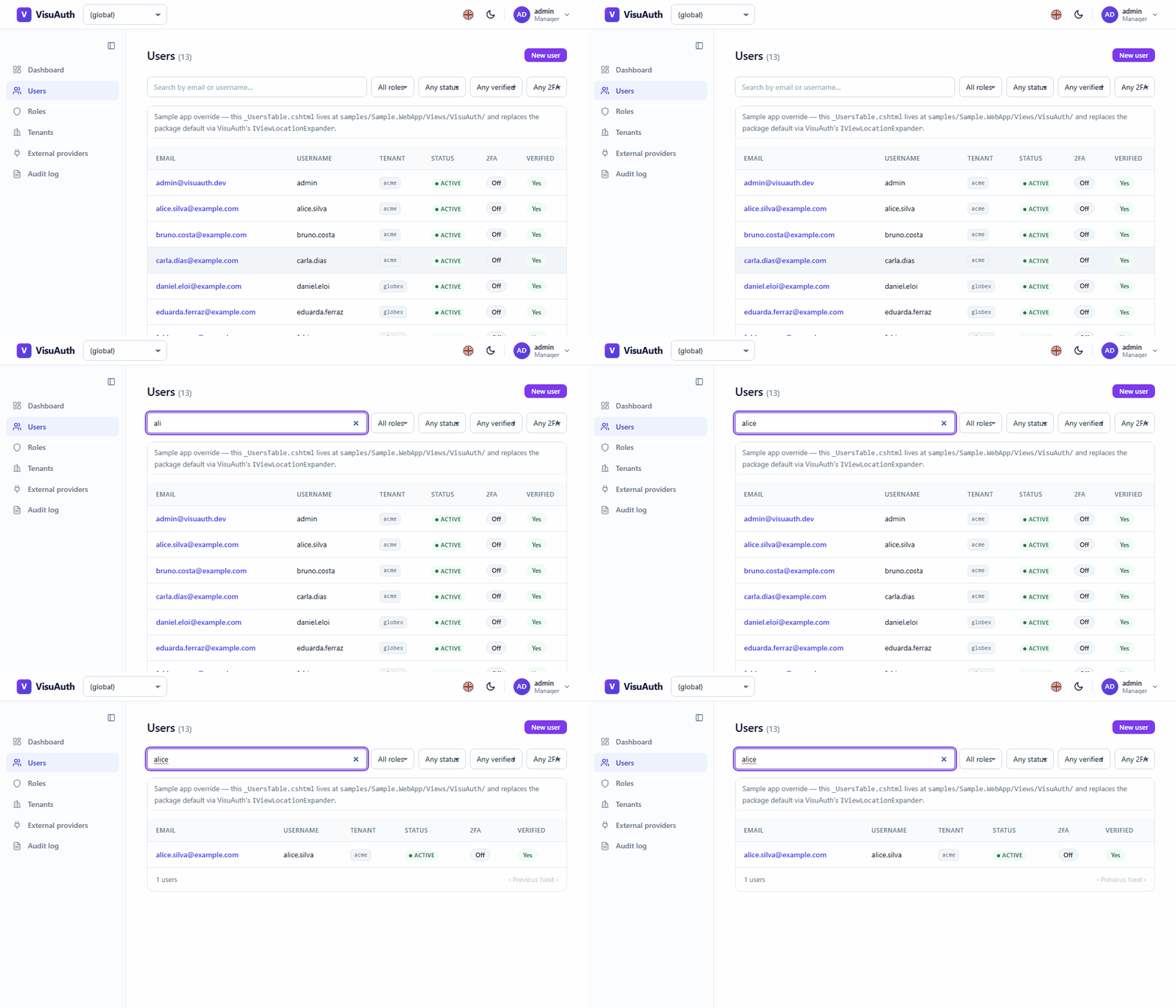
See the admin UI tour for the whole dashboard, screen by screen. It's the same UI over every backend; what changes is which controls the backend's capabilities allow.
Setup
It's wired automatically by AddVisuAuth<TUser>(); the end-user pages and the
mobile API also need AddVisuAuthJwt<TUser>(…). See
Getting started for the complete, runnable setup.
builder.Services.AddVisuAuth<ApplicationUser>();
builder.Services.AddVisuAuthJwt<ApplicationUser>(o =>
    o.SigningKey = builder.Configuration["VisuAuth:Jwt:SigningKey"]!);
Capabilities
The Identity adapter declares the full capability surface — it owns its data, so almost everything works:
| Capability | Value |
|---|---|
| Local login / registration / password reset | ✅ |
| TOTP two-factor (+ admin reset) | ✅ |
| Custom claims | ✅ |
| Role management and mutation (create / rename / delete) | ✅ |
| Session revocation | ✅ |
| External providers (Google, Microsoft, …) | ✅ |
| Email confirmation | ✅ |
| Lockout | ✅ |
| Audit log | opt-in plugin (AddVisuAuthAuditLog()) |
| Bulk operations | not yet |
See Backend abstraction & capabilities for how the UI consults these flags.
How key operations behave
- Create user / reset password — when no password is supplied, the adapter
generates a policy-compliant temporary one and returns it under
StoreResult.Metadata["temporaryPassword"], which the admin UI surfaces once. - Enable / disable — disabling locks the user out indefinitely
(
LockoutEnd = DateTimeOffset.MaxValue); enabling clears the lockout and resets the failed-attempt counter. - Reset two-factor — disables 2FA and resets the authenticator key, so the user re-enrols from scratch.
- Revoke sessions — rotates the security stamp, invalidating existing cookies / tokens on the next stamp-validated request.
It respects your standard Identity configuration — the password policy and
lockout window you set via IdentityOptions apply unchanged.
Multi-tenancy
The Identity adapter is the one that supports VisuAuth's per-user TenantId
multi-tenancy model — see Multi-tenancy.