The admin UI
A tour of everything VisuAuth mounts under /visuauth/admin. This is the
dashboard the package exists to give you — the operational surface ASP.NET Core
Identity leaves out.
Everything here is backend-neutral: the same pages render over ASP.NET Core Identity, Microsoft Entra ID, or Entra External ID. The UI consults capability flags at runtime and hides what a backend can't do, so an Entra deployment shows the same user list with the Lockout and 2FA controls absent instead of broken.
The dashboard is protected by default — every page below requires an authenticated user. See Securing the admin for how to restrict it to a role, and note that Entra deployments need an extra package to have anything to sign in with.
Dashboard — /visuauth/admin
The landing page: KPI tiles, a 7-day sign-in chart, a system-health card, and a recent-activity feed. Tiles are capability-aware, so an Entra-backed deployment drops the Locked / 2FA / Pending-email tiles automatically.
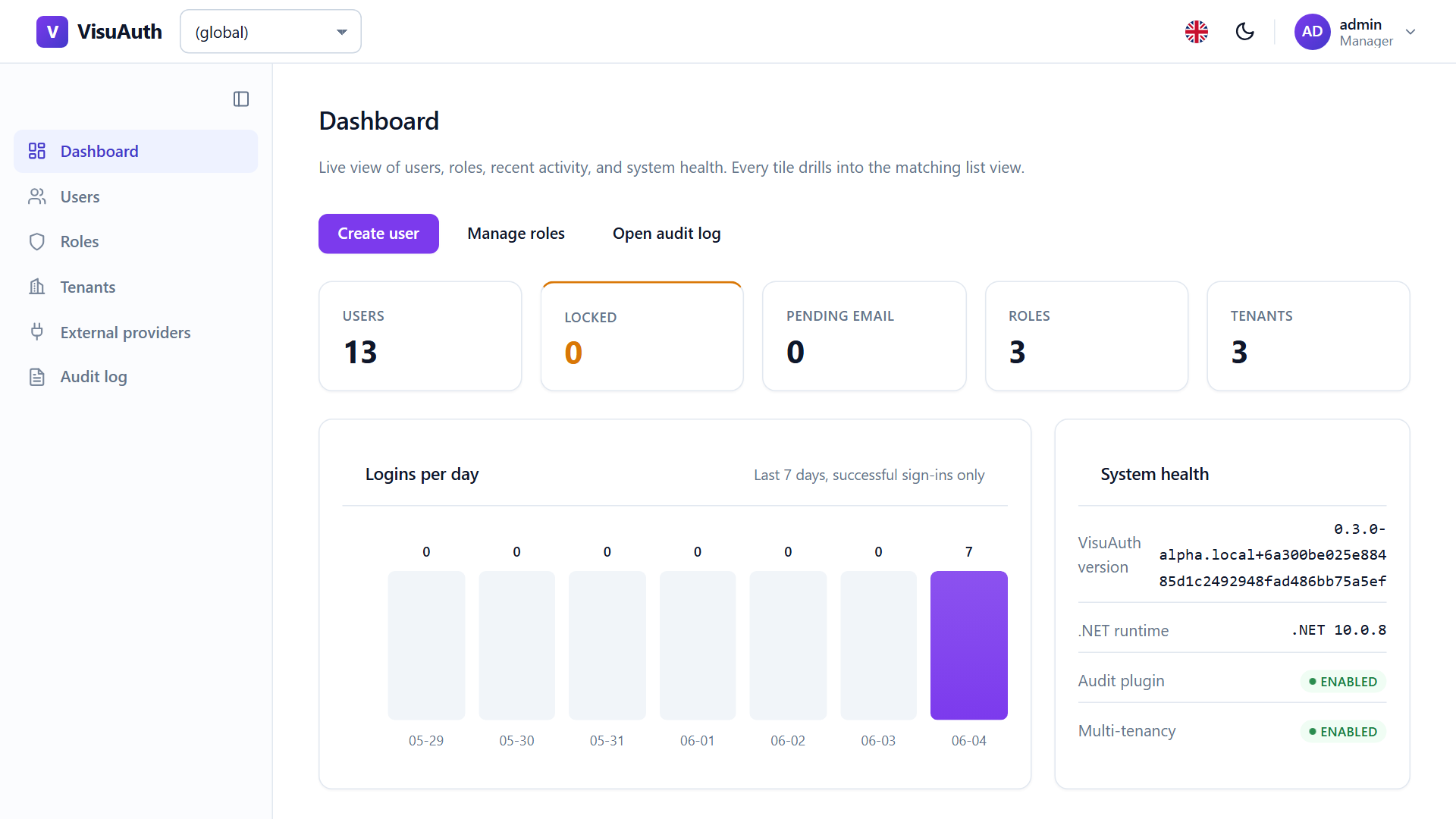
The activity feed and the chart read from the audit log when it's enabled; without it they degrade to an empty state rather than an error.
Users — /visuauth/admin/users
Search, filter, and page through users. Search is debounced and swaps only the table via htmx — no page reload, no JavaScript framework:
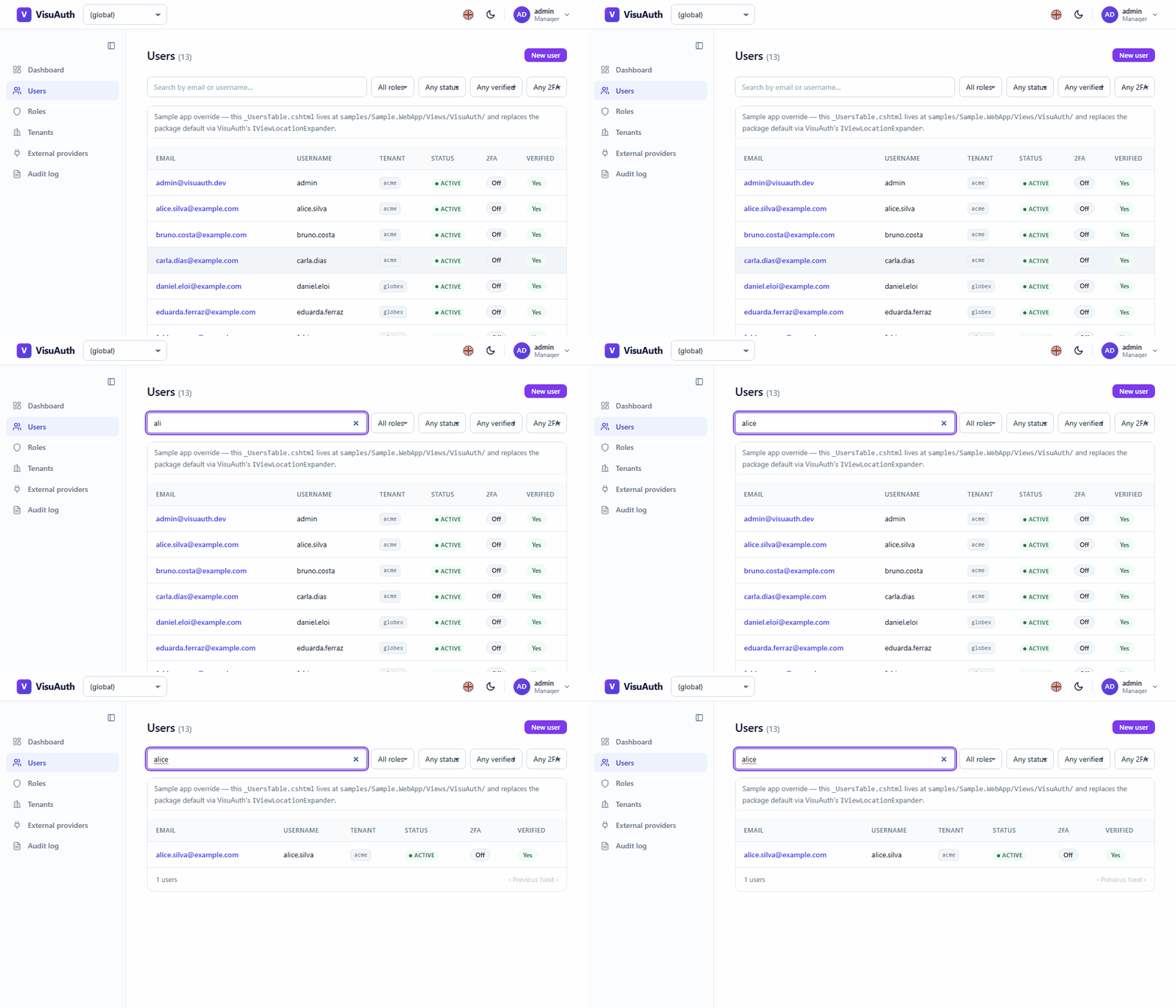
Filters cover role, status (active / locked), email-verified, and 2FA-enabled. Pagination is cursor-based, so a list that changes underneath you doesn't skip or repeat rows.
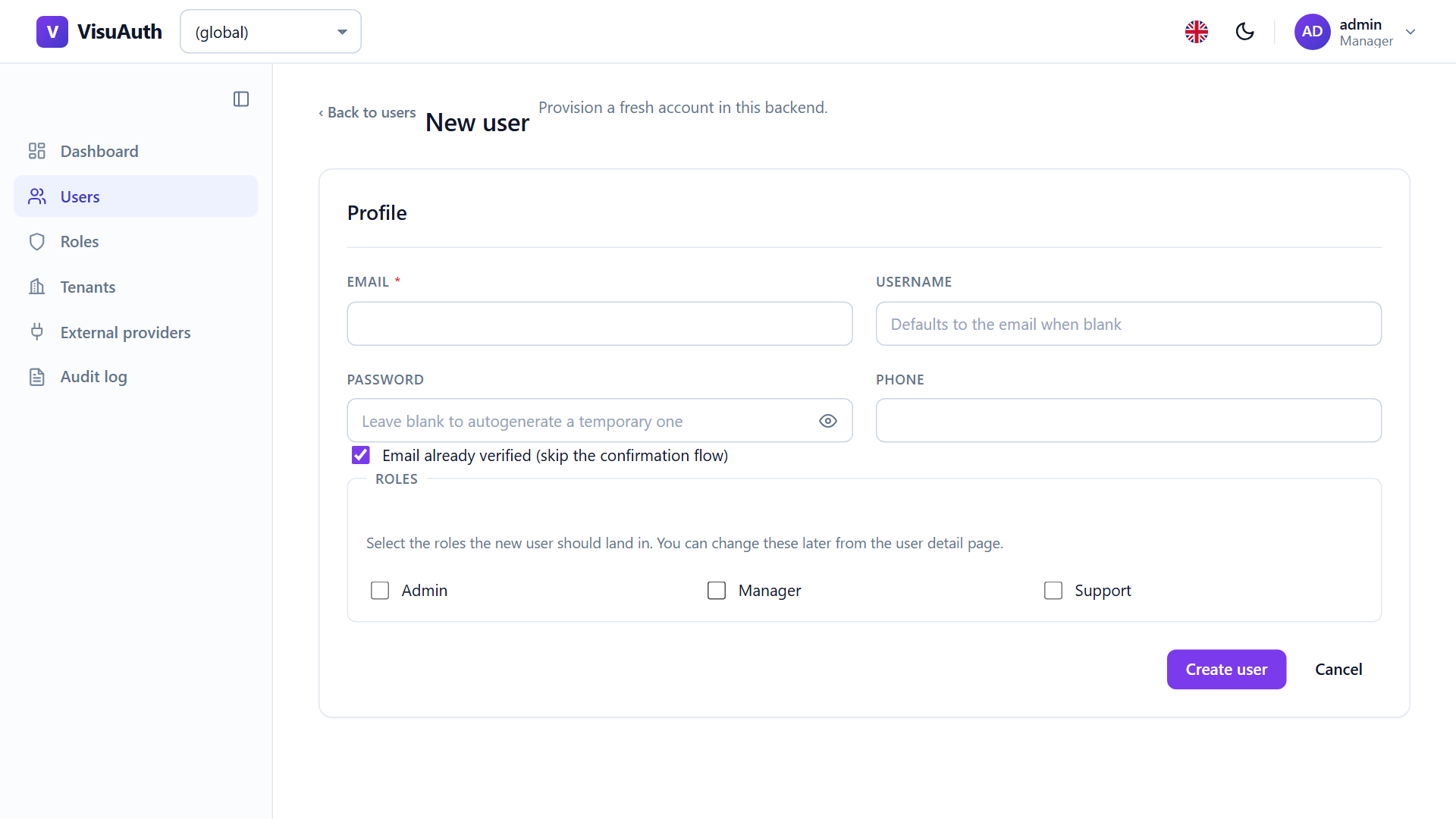
Creating a user — /visuauth/admin/users/new
Leave the password blank and VisuAuth generates a policy-compliant temporary one, shown once with a click-to-copy widget:
User detail — /visuauth/admin/users/{id}
Inline profile editing plus the operator actions: lock / unlock, reset password, reset two-factor, revoke sessions, delete, and role assign / remove. Each action is capability-gated, so a button only appears when the backend can honour it.
Revoke sessions rotates the user's security stamp. That invalidates their cookies and their outstanding JWTs — including at the refresh endpoint, so a revoked token can't be traded for a fresh one. See Security posture.
Roles — /visuauth/admin/roles
The roles catalogue, with member counts and inline create / rename / delete:
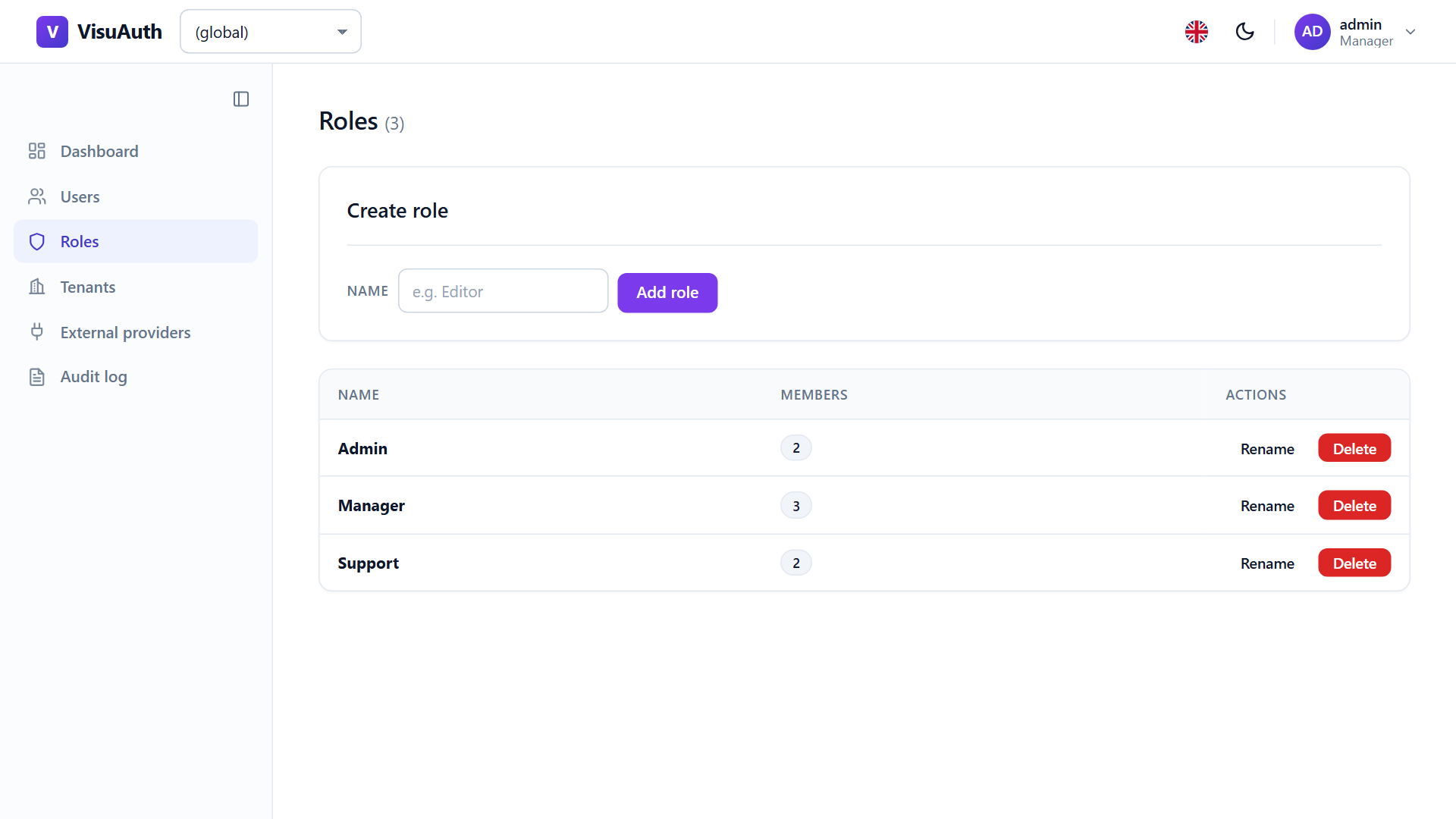
Assigning a role happens inline from the user's detail page:
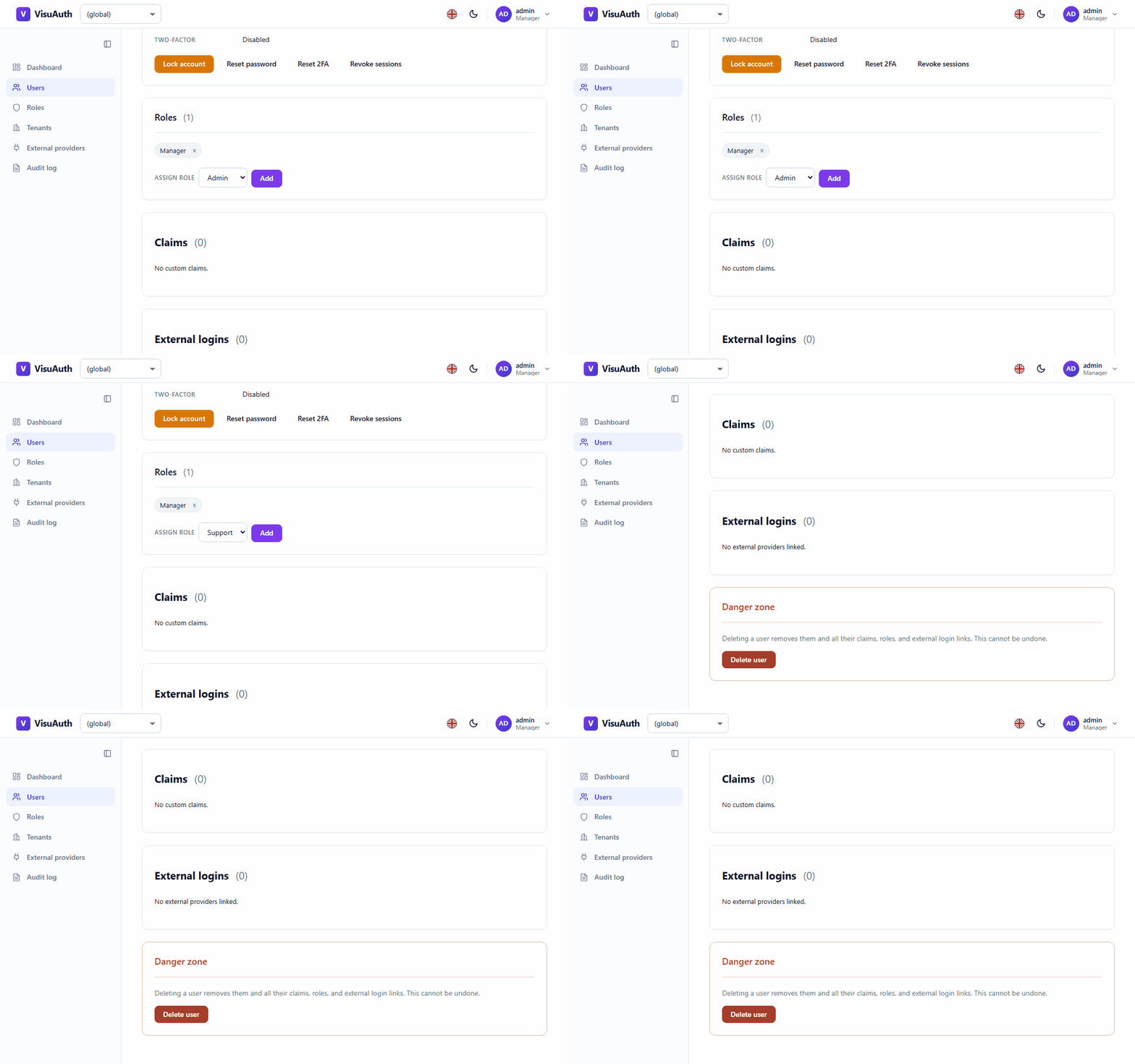
On backends where roles are declared out-of-band — Entra app roles live in the app-registration manifest — the mutation controls hide themselves and only list / assign / remove stay available.
Tenants — /visuauth/admin/tenants
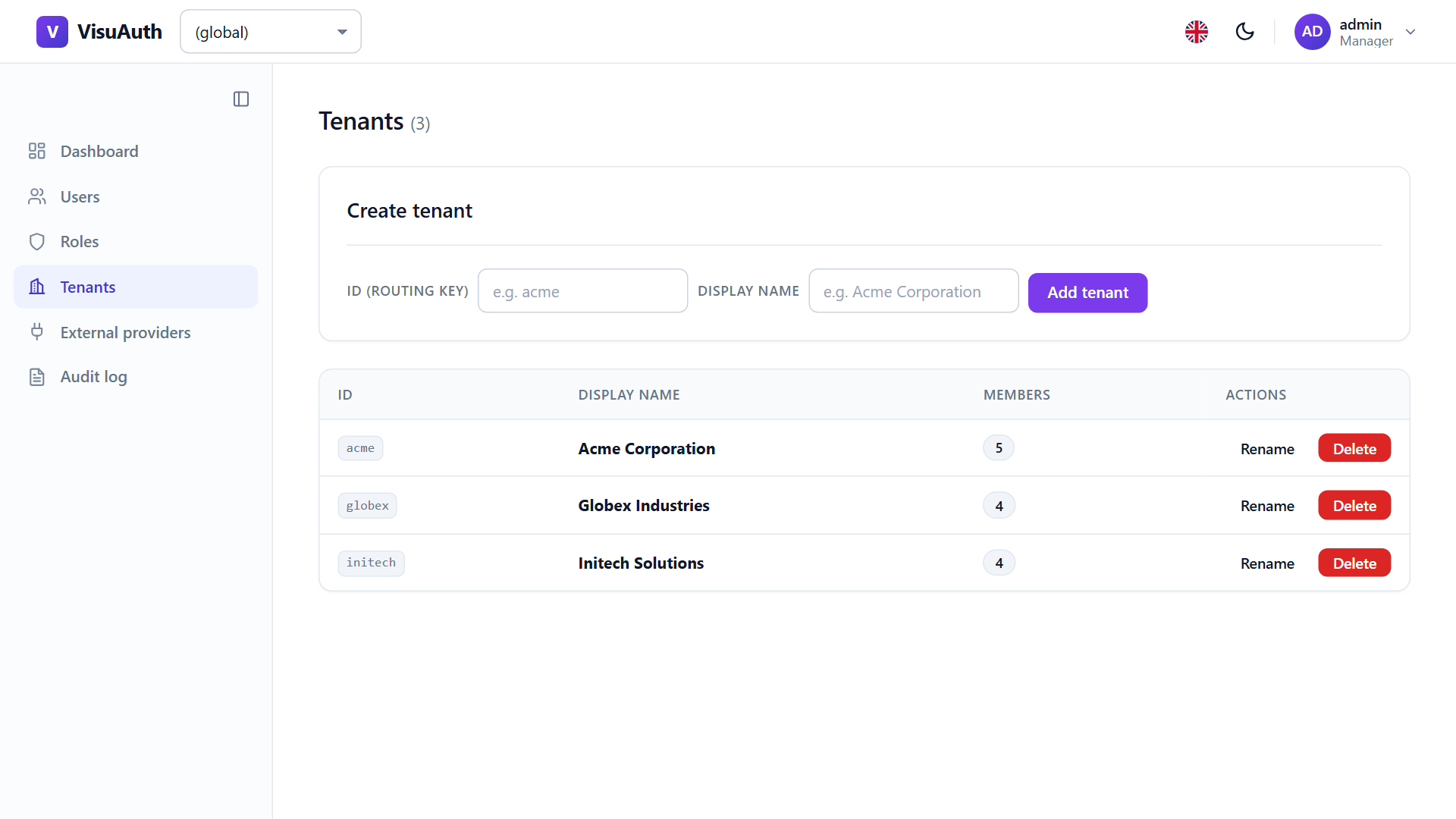
Present once you opt into multi-tenancy. Catalogue with member counts and inline create / rename / delete:
The sidebar switcher scopes every admin view to one tenant:
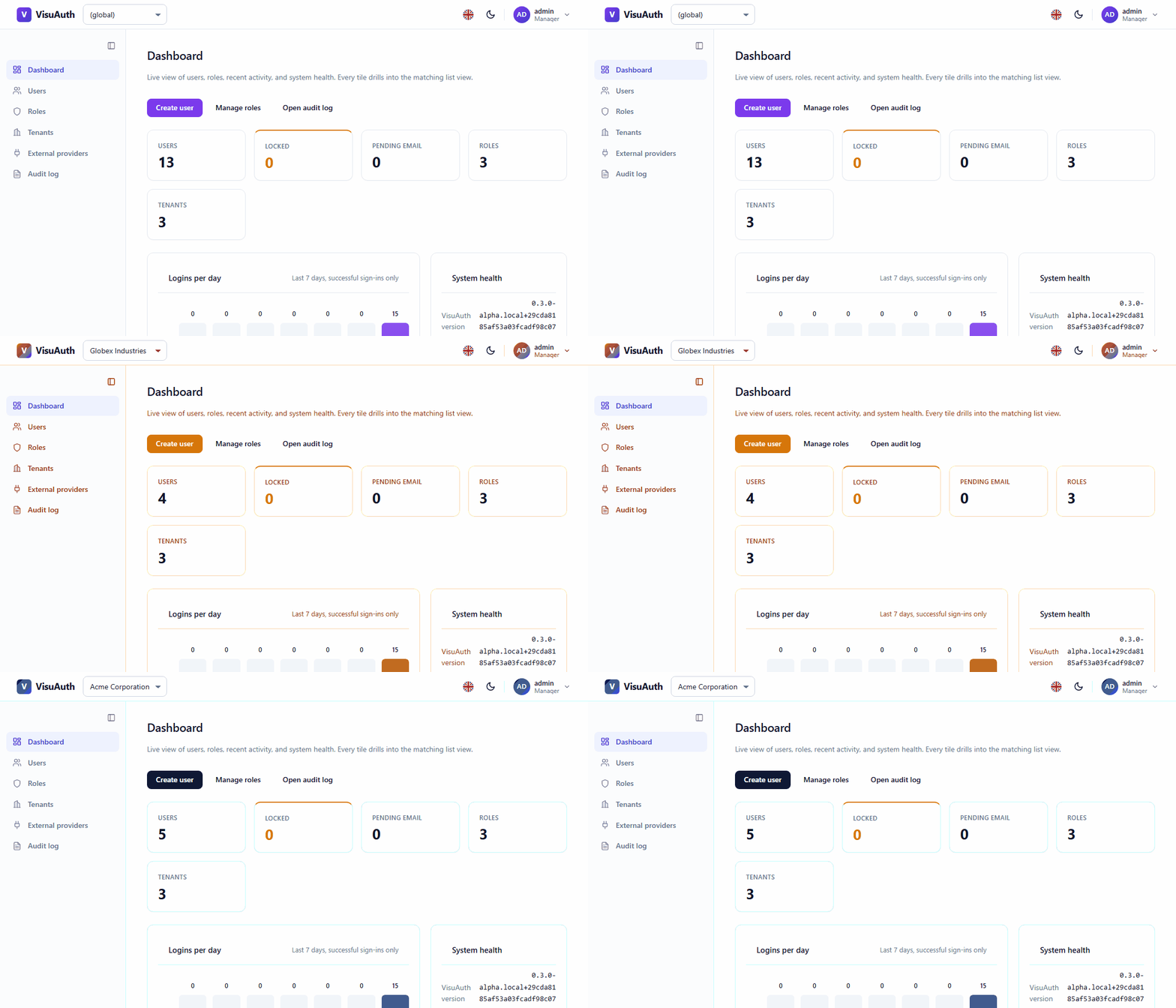
Operators may switch to any tenant — the switcher is an operator superpower, gated by the admin policy itself rather than per-tenant. Bearer- authenticated API callers are bound to the tenant in their signed token and cannot cross it. See Security posture.
External providers — /visuauth/admin/external-providers
Configure Google / Microsoft / GitHub / Apple credentials from the UI, stored encrypted at rest and applied without a restart. Covered in External logins.
Audit log — /visuauth/admin/audit-log
Filterable trail of who did what, from the opt-in audit plugin. Covered in Audit log.
Adapter configuration — /visuauth/admin/entra-config
Present in Entra mode when you opt in: edit the adapter's Graph credentials and
persist them, overlaid on top of appsettings / user-secrets. See the
Entra ID adapter.
Dark mode, for free
The whole dashboard ships light and dark, following the OS by default with a toggle that persists the visitor's choice:
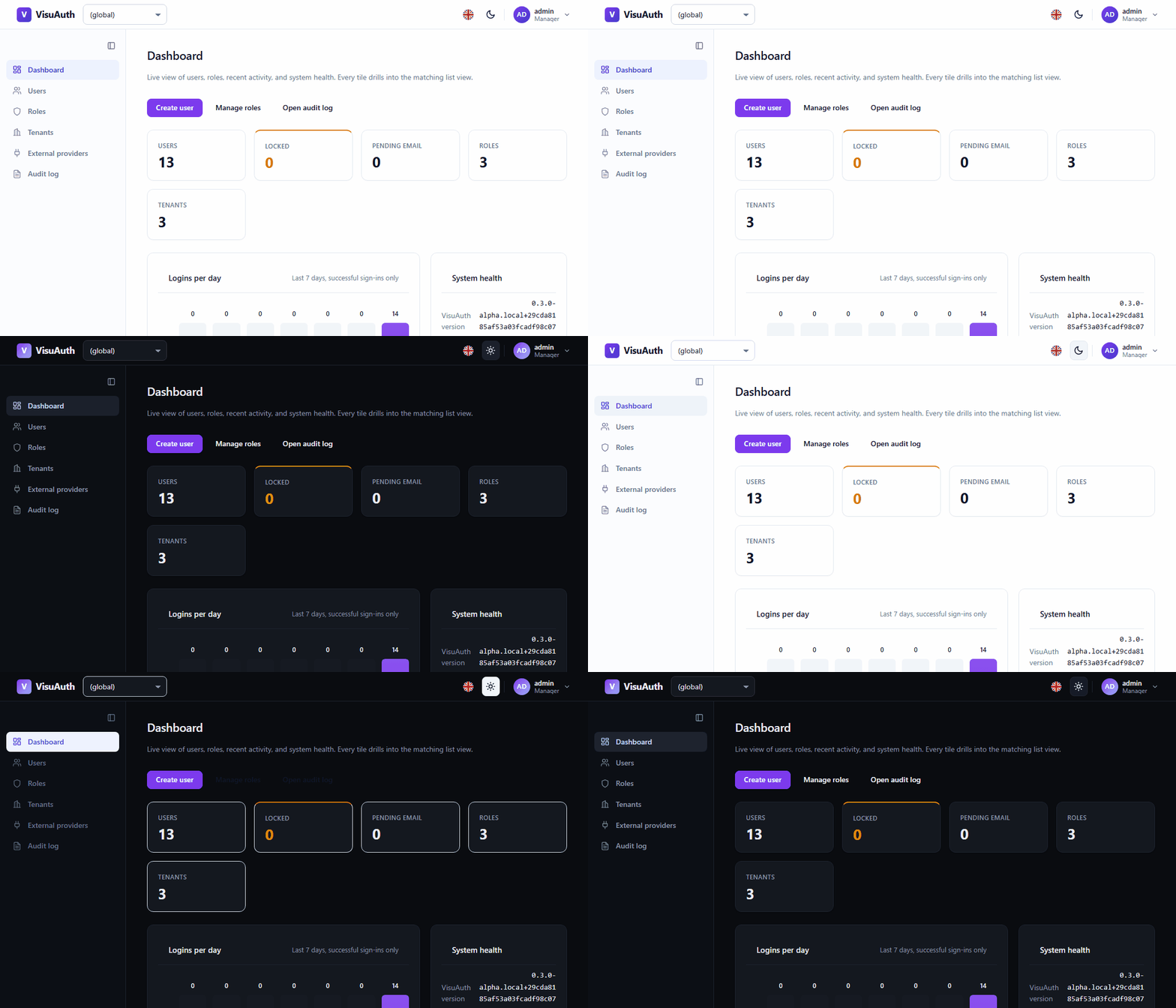
Re-brand any of it — colours, fonts, logo, whole templates, per tenant — through the four theming layers.