Microsoft Entra External ID adapter
The VisuAuth.EntraExternal adapter targets Microsoft Entra External ID
(the Azure AD B2C successor) — customer-facing tenants where end users sign up
and sign in themselves. It feeds the same /visuauth/admin/* pages as the other
adapters and shares the Graph wiring with VisuAuth.Entra through the
VisuAuth.EntraCore package.
Workforce vs External. Pick
VisuAuth.Entra(Workforce) for employees of your company; pickVisuAuth.EntraExternalfor customers of your SaaS who self-onboard. If users land on a signup page and create their own accounts, you want External.Full walkthrough. This page is an overview. The package READMEs cover the end-to-end setup and the customer sign-in wiring:
src/VisuAuth.EntraExternal/README.mdandsrc/VisuAuth.EntraExternal.Web/README.md.
Install & register
using VisuAuth.EntraExternal.DependencyInjection;

builder.Services.AddVisuAuth().AddAdminUi().AddEndUserUi();
builder.Services.AddVisuAuthEntraExternal(builder.Configuration);   // binds VisuAuth:EntraExternal
External tenants are free to create (unlike Workforce since the 2024 policy
change), making this the lowest-friction path to try VisuAuth against a real
Graph backend. A ~30-line reference lives in samples/Sample.EntraExternalWebApp.
Configuration (EntraExternalOptions, bound from VisuAuth:EntraExternal)
| Property | Required | Default | Notes |
|---|---|---|---|
TenantId |
✅ | — | Directory (tenant) GUID. |
ClientId |
✅ | — | Application (client) ID of the management app. |
ClientSecret |
✅ | — | The secret value. |
TenantDomain |
✅ | — | Initial domain {tenant}.onmicrosoft.com — used as the issuer when minting a customer's identities[] entry. |
AppRoleResourceId |
❌ | ClientId |
Application ID whose appRoles the role store surfaces. |
GraphBaseUrl |
❌ | …/v1.0 |
Sovereign-cloud override. |
DefaultEmailDomain |
❌ | null |
Suggested Create-User domain (External is permissive — any domain works). |
The same admin-consented Graph application permissions as the Workforce adapter:
User.Read.All, User.ReadWrite.All, AppRoleAssignment.ReadWrite.All,
Application.Read.All, plus UserAuthenticationMethod.ReadWrite.All for the
reset-2FA operation.
Capabilities
Mirrors the Workforce adapter's profile — SupportsLocalLogin = false (Microsoft
hosts the customer login at {tenant}.ciamlogin.com), registration / password
reset / two-factor reset / session revocation / role management (assignment only;
mutation throws), audit log opt-in. The base adapter sets
SupportsExternalProviders = false — it doesn't manage federated IdPs itself
(Google, Facebook, Apple are configured at the tenant level and rendered by
Microsoft's hosted page). Once you wire the companion VisuAuth.EntraExternal.Web
package (below), it overlays SupportsExternalProviders = true so
/visuauth/login renders the Microsoft sign-in button.
Operations
IUserStore works against Graph with an identities[] shape: list (search
matches identities/issuerAssignedId, the customer-typed email), get, create
(signInType = emailAddress, issuer = TenantDomain), update (DisplayName +
phone only — identities/UPN/mail aren't rewritten from the admin UI, which would
lock the customer out), delete, enable/disable, reset password, reset 2FA, revoke
sessions. IRoleStore is identical to the Workforce adapter (app roles are
tenant-family-agnostic in Graph).
Cursor-based pagination
Graph doesn't return a total count alongside a page, so the user list uses
cursor-based pagination — PagedResult.TotalCount is null and the admin UI
shows a per-page count with a working "Next" that follows Graph's
@odata.nextLink, rather than "page N of M".
The customer sign-in
The hosted customer OIDC sign-in is wired by the companion
VisuAuth.EntraExternal.Web package via AddVisuAuthEntraExternalSignIn(…) (it
layers Microsoft.Identity.Web under the VisuAuth login page). Without it,
/visuauth/login shows only the "use Microsoft" hint — see that package's README.
Because the adapter declares SupportsLocalLogin = false, the login page drops
the email/password form on its own and offers the Microsoft hand-off instead —
no template editing, no conditional markup of your own:
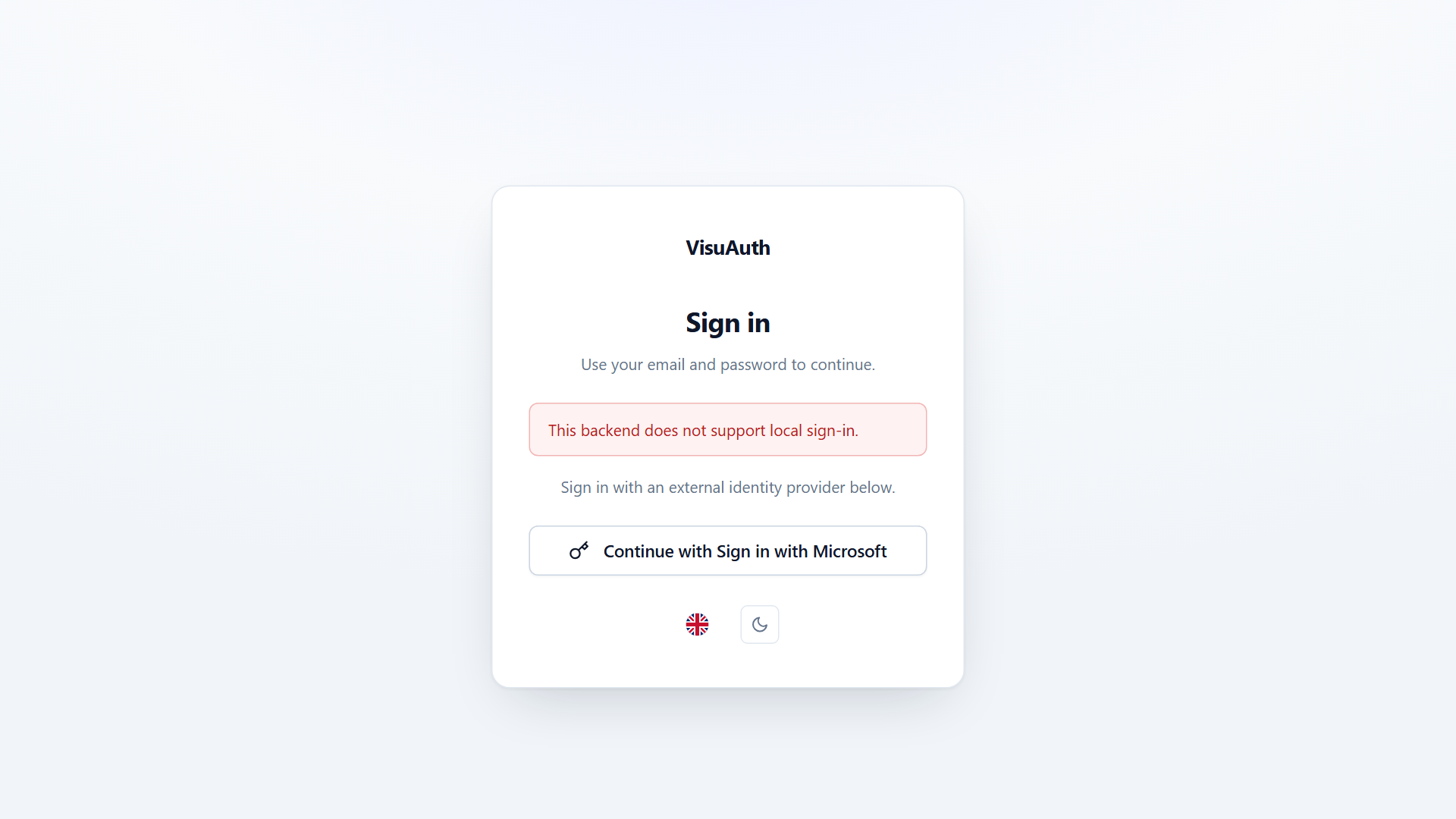
That swap is capability-driven; the admin dashboard adapts the same way.