Microsoft Entra ID adapter
The VisuAuth.Entra adapter puts the VisuAuth admin UI in front of
Microsoft Entra ID (workforce tenants) via Microsoft Graph — a friendlier
operations surface than the Azure Portal for day-to-day user and role
management. It uses the app-only / client-credentials flow: VisuAuth acts as
your registered app and reads/mutates the directory through Graph; it never
holds a user's bearer token.
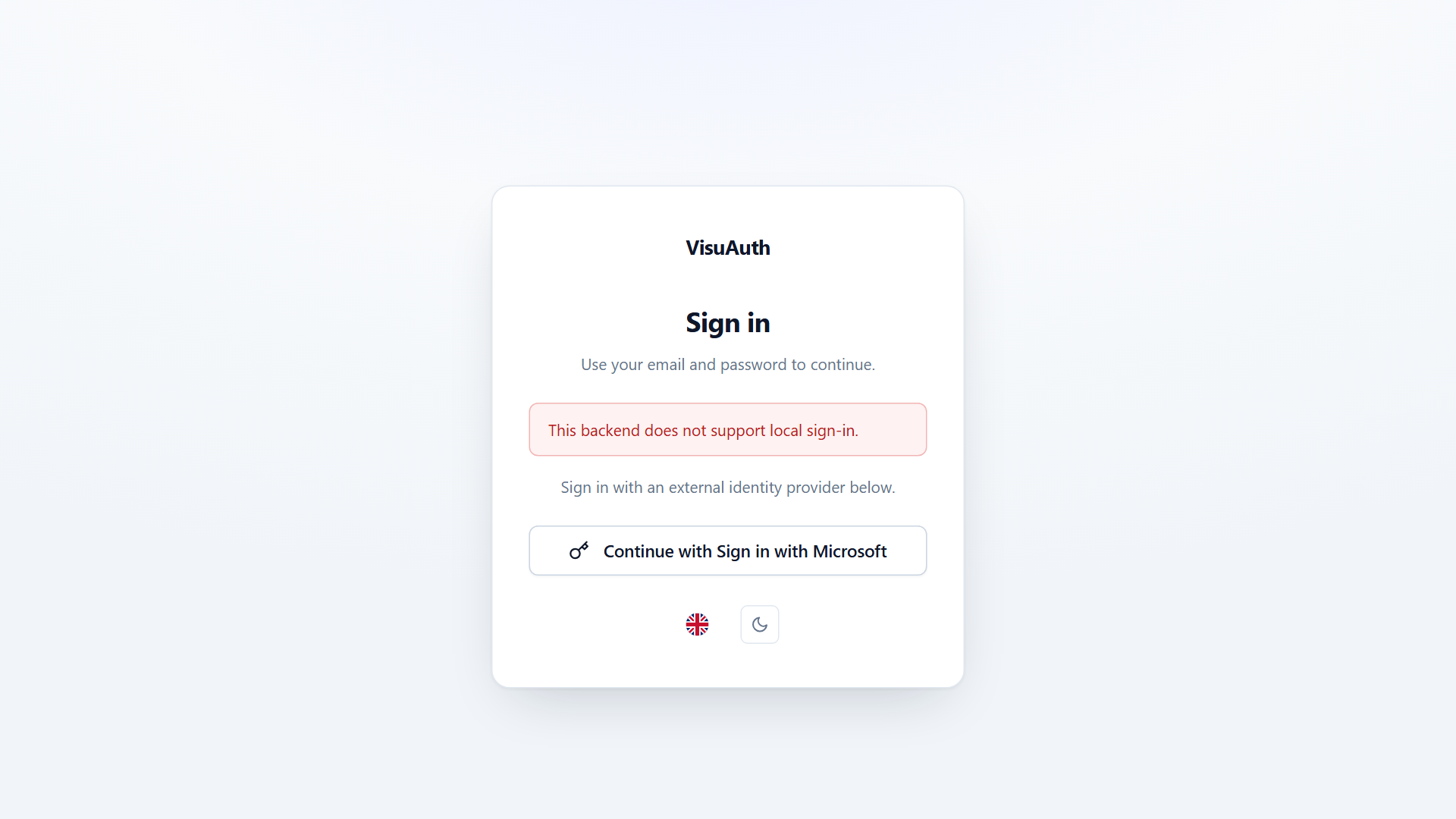
Because Entra owns the login experience, the adapter declares
SupportsLocalLogin = false, so the end-user UI hides the email/password form
and shows a "Sign in with Microsoft" hint (see
Backend abstraction). VisuAuth.Entra
isn't an OIDC server; add the companion
VisuAuth.Entra.Web package for a working sign-in.
You need
VisuAuth.Entra.Webto reach the admin.AddVisuAuthEntraauthenticates the app to Graph with app-only credentials — it registers no authentication scheme, so the (secured-by-default) admin dashboard has nothing to challenge with. See Operator sign-in.
Full walkthrough. This page is an overview. The package README has the end-to-end setup — tenant + app registration, Graph permissions, secrets, troubleshooting:
src/VisuAuth.Entra/README.md.
Install & register
using VisuAuth.Entra.DependencyInjection;

builder.Services.AddVisuAuth().AddAdminUi().AddEndUserUi();
builder.Services.AddVisuAuthEntra(builder.Configuration);   // binds VisuAuth:Entra
No AddIdentity, no AddDbContext, no JWT issuer — Entra owns the directory and
the login. A ~30-line reference lives in samples/Sample.EntraWebApp.
Configuration (EntraOptions, bound from VisuAuth:Entra)
| Property | Required | Default | Notes |
|---|---|---|---|
TenantId |
✅ | — | Directory (tenant) GUID. |
ClientId |
✅ | — | Application (client) ID of the registered app. |
ClientSecret |
✅ | — | The secret value (load from user-secrets / env / vault). |
AppRoleResourceId |
❌ | ClientId |
Application ID whose appRoles the role store surfaces. |
GraphBaseUrl |
❌ | …/v1.0 |
Override for sovereign clouds (Gov / China). |
DefaultEmailDomain |
❌ | null |
Verified domain suggested in the Create-User form. |
Graph application permissions (admin-consented): User.Read.All,
User.ReadWrite.All, UserAuthenticationMethod.ReadWrite.All,
AppRoleAssignment.ReadWrite.All, Application.Read.All (+ Domain.Read.All
for the multi-domain dropdown). A missing permission surfaces as a
StoreResult failure, not a crash.
Capabilities
| Capability | Value | Note |
|---|---|---|
SupportsLocalLogin |
false |
Microsoft hosts the login. |
SupportsRegistration / SupportsPasswordReset |
true |
Admin create / reset via Graph. |
SupportsTwoFactor |
false |
Enrolment is on Microsoft's surfaces. |
SupportsTwoFactorReset |
true |
Deletes registered auth methods via Graph. |
SupportsLockout |
false |
Smart lockout; admin "lock" = disable. |
SupportsRoleManagement |
true |
App roles; mutation throws (manifest-defined). |
SupportsSessionRevocation |
true |
revokeSignInSessions. |
SupportsExternalProviders |
false |
Entra is the IdP. |
SupportsAuditLog |
true |
Opt-in via AddVisuAuthEntraAuditLog() (needs AuditLog.Read.All + P1). |
EmailDomainSuffix |
from DefaultEmailDomain |
Locks the Create-User domain. |
Operations
IUserStore — list / get / create / update (DisplayName + phone only; UPN/mail
are edited in the portal) / delete / enable-disable / reset password / reset 2FA
/ revoke sessions, all over Graph. IRoleStore — list / get / assign / remove
app roles; create / rename / delete throw NotSupportedException (app roles
are declared in the application manifest, not at runtime).
Editing settings from the admin UI (optional)
By default EntraOptions is read once at startup. To let an operator edit it at
runtime from /visuauth/admin/entra-config, opt in (requires a metadata
DbContext):
builder.Services.AddVisuAuthAdapterConfigStore();   // from VisuAuth.Identity
builder.Services.AddVisuAuthEntraDbConfig();         // from VisuAuth.Entra
Stored values overlay the code/appsettings ones (DB wins per key), the secret is encrypted at rest, and a save takes effect on the next Graph call without a restart.
Operator sign-in
AddVisuAuthEntra wires Microsoft Graph with app-only credentials. That
authenticates the app, not a human — and it registers no authentication
scheme at all. Since the admin dashboard requires an authenticated user by
default, without a sign-in scheme every admin page fails with "No
authenticationScheme was specified, and there was no DefaultChallengeScheme
found".
Add the companion package:
using VisuAuth.Entra.Web.DependencyInjection;

builder.Services.AddVisuAuthEntra(builder.Configuration);
builder.Services.AddVisuAuthEntraSignIn(builder.Configuration);
It wraps Microsoft.Identity.Web, so an operator reaching /visuauth/admin is
redirected to your tenant's hosted Microsoft sign-in and comes back with a
session cookie. Configure it from VisuAuth:Entra:Web using a second app
registration (the sign-in one, with a redirect URI) — separate from the Graph
app. Full setup, including why the two registrations are separate and how to
restrict the dashboard to an app role, is in the
package README.
Never leave the Entra admin anonymous on a reachable network. The adapter holds directory-wide Graph permissions, so an unauthenticated visitor would be administering your real tenant with the app's rights, not their own. If you front the dashboard with your own authentication instead, that is fine — but then call
AllowAnonymousVisuAuthAdmin()deliberately rather than leaving it unconfigured.