Securing the admin
The dashboard at /visuauth/admin is locked by default: every page requires
an authenticated user. You don't have to do anything to get that — but you should
almost certainly tighten it, and Entra deployments need one extra package.
The default, and why it isn't enough
Out of the box VisuAuth registers an authorization policy named
VisuAuth.Admin requiring an authenticated user. That's safe — an anonymous
visitor can't reach the dashboard — but it's looser than most deployments want:
every signed-in end user qualifies. If your app has public registration, that
means anyone who signs up can open the admin panel.
So restrict it. One line:
The same argument works on the fluent form:
builder.Services.AddVisuAuth()
    .UseAspNetIdentity<ApplicationUser>()
    .AddAdminUi(admin => admin.RequireRole("Admin"))
    .AddEndUserUi();
RequireRole accepts several roles — a user in any of them passes:
Beyond roles
For claims, custom requirements, or anything else an
AuthorizationPolicyBuilder expresses, use ConfigurePolicy:
.AddAdminUi(admin => admin.ConfigurePolicy(policy => policy
    .RequireAuthenticatedUser()
    .RequireClaim("department", "it")))
ConfigurePolicy replaces the policy wholesale, so include
RequireAuthenticatedUser() yourself unless you deliberately want otherwise.
Bringing your own policy
Registering a policy under the well-known name also works, and takes precedence over anything configured above — it's the most explicit thing you can do, so VisuAuth never overwrites it:
using VisuAuth.AdminUi.DependencyInjection;

builder.Services.AddAuthorizationBuilder()
    .AddPolicy(VisuAuthAdminUiServiceCollectionExtensions.AdminAuthorizationPolicy,
        policy => policy.RequireAuthenticatedUser().RequireRole("Admin"));
Precedence, most explicit first:
- a policy you registered under
AdminAuthorizationPolicy RequireRole(...)/ConfigurePolicy(...)- the built-in "authenticated user" default
Opting out
If the dashboard is already fenced off some other way — an upstream gateway, network isolation, a host-level middleware of your own — drop VisuAuth's gate deliberately:
This has the last word, overriding all of the above. Reach for it only when something else is genuinely doing the job.
VisuAuth refuses to start if you can't sign in
The gate needs an authentication scheme to challenge with. If the admin requires an authenticated user and your app registers no default scheme, VisuAuth throws at startup with a message naming every way out, rather than letting the app boot and fail with an opaque 500 on the first admin request in production:
VisuAuth's admin dashboard requires an authenticated user (the 'VisuAuth.Admin'
authorization policy), but no default authentication scheme is registered, so it
has nothing to challenge with …
ASP.NET Core Identity (AddIdentity / AddDefaultIdentity) registers a scheme
for you, so Identity-backed apps never see this.
Microsoft Entra ID needs VisuAuth.Entra.Web
This is the case that trips people up. AddVisuAuthEntra(...) wires Microsoft
Graph with app-only credentials — that authenticates the app to Microsoft.
It does not sign a human in, and it registers no authentication scheme. So the
admin gate has nothing to challenge with, and the startup guard above fires.
Add the sign-in package:
using VisuAuth.Entra.Web.DependencyInjection;

builder.Services.AddVisuAuthEntra(builder.Configuration);
builder.Services.AddVisuAuthEntraSignIn(builder.Configuration);
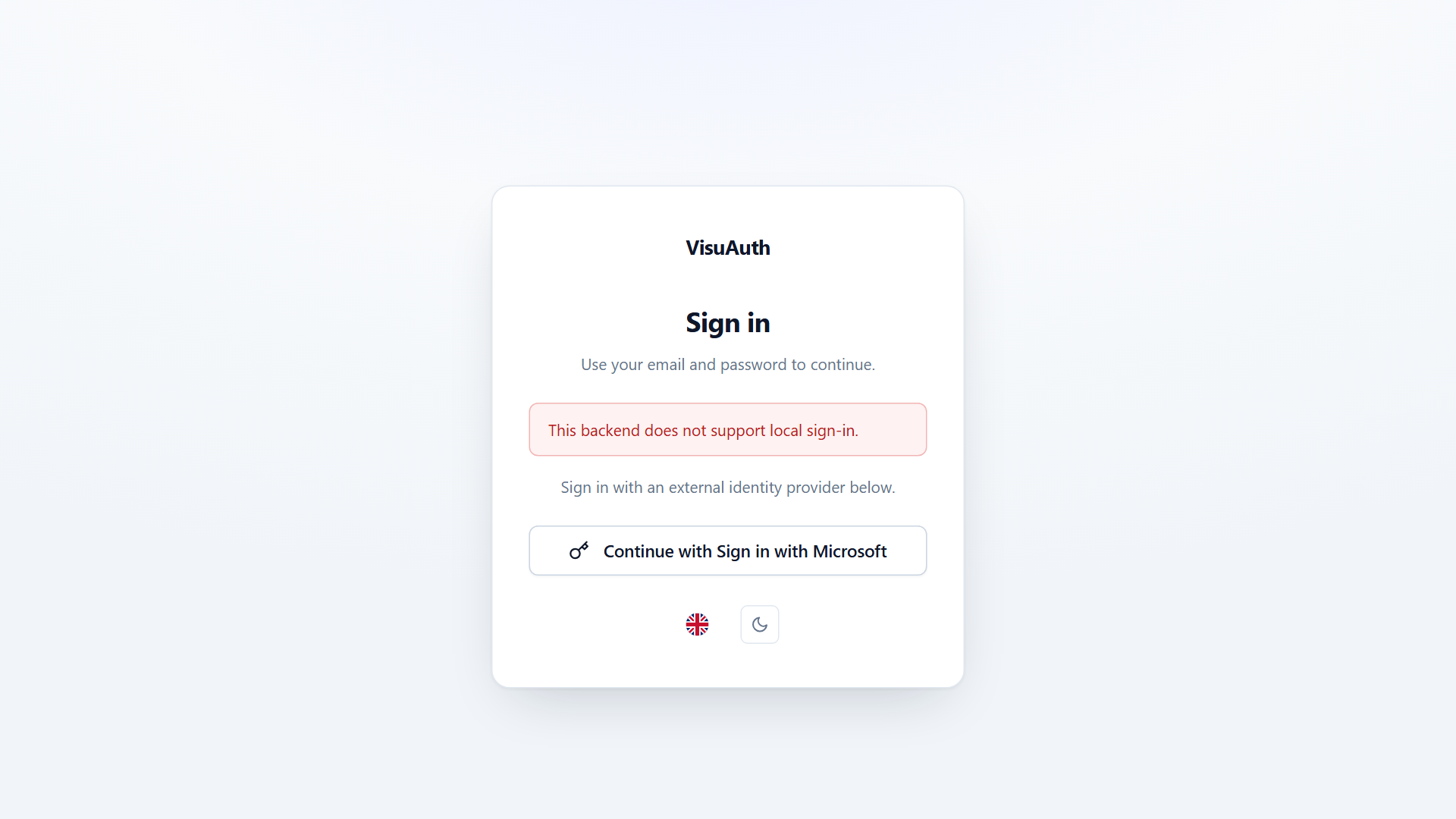
Operators then reach the dashboard through your tenant's hosted Microsoft sign-in page:
Setup details — including why the sign-in app registration is separate from the Graph one — are in the Entra ID adapter page.
Never leave the Entra admin anonymous. The Entra adapter holds directory-wide Graph permissions. An anonymous visitor reaching the dashboard would be administering your real corporate tenant with the app's rights, not their own — creating, disabling, and resetting passwords for any user in the directory.
The end-user pages stay anonymous
Locking the admin must not lock the pages people use to become
authenticated. /visuauth/login, /register, /forgot-password,
/reset-password, /confirm-email, the two-factor challenge, and the
api/auth/* endpoints all carry explicit anonymous metadata.
That matters if you harden your app with a global fallback policy:
builder.Services.Configure<AuthorizationOptions>(o =>
    o.FallbackPolicy = new AuthorizationPolicyBuilder()
        .RequireAuthenticatedUser().Build());
Without the explicit metadata, that fallback would gate sign-in itself —
/visuauth/login redirecting to /visuauth/login, and api/auth/login
answering 401, with no way to ever obtain a token. VisuAuth pins those
endpoints anonymous so the fallback can't reach them. Pages that genuinely
require a signed-in user — two-factor setup, recovery codes — keep their
requirement.
What's next
- Security posture — the per-flow threat model: what each flow defends against, and where it's enforced and tested.
- The admin UI — a tour of what you're protecting.